Running a self-hosted help desk securely: a checklist
What self-hosting changes and what stays your job, then a checklist: TLS, SSO and MFA, secrets, backups, scanning, audit logs, retention and patching.
- Published
- Reading time
- 10 min
- By
- EvenTier
A self-hosted help desk keeps requests, attachments and audit logs on infrastructure you run. For many security reviews that settles the question of where the data lives. It also hands you the work a cloud vendor did before: the servers, the certificates, the backups and the upgrades. A help desk holds access requests, HR cases and the names of everyone in the company, so that work deserves a plan.
This guide covers what self-hosting changes, what stays your responsibility, and a checklist to finish before the first employee files a request. The steps refer to EvenTier's self-hosted edition, which runs on Docker Compose, Kubernetes with the Helm chart, or a Linux server under systemd. The requirements and the deployment guide cover the install itself. Most of the checklist applies to any self-hosted application.
EvenTier provides
- Release images signed with cosign, each with a software bill of materials
- Images scanned for vulnerabilities before they are published
- The Helm chart and the server tarball for each release
- The product's controls: SSO, MFA, roles, audit logs, malware scanning
- Deployment bundles with generated secrets and a setup token
- The license file, and the revocation list inside each release
You operate
- Hosts or cluster, network rules and firewalls
- TLS certificates and the reverse proxy or ingress
- Operating system, container runtime and database patching
- Backups, restore tests and custody of the settings file
- Upgrades, on your schedule
- Identity provider policy, log retention and the SIEM copy
What self-hosting changes
The data stays on your hosts. The database, the attachment store and the audit logs live where you put them, and the install needs no connection to EvenTier to run. The license is a signed file checked offline, and product telemetry is off by default.
The vendor's access goes away. On the cloud edition, EvenTier staff access to a workspace is written to that workspace's security log. An install has no operator console at all: it runs one organization and the product only, and security alerts go to your own administrators.
The product's controls stay the same. Both editions run the same code, so single sign-on (SSO), SCIM provisioning, multi-factor authentication (MFA), custom roles, the three audit logs and the SIEM export work the same way. The trust page lists them, along with the controls that are not in place yet.
Everything around the product moves to you: the operating system, the container runtime or cluster, the network, TLS certificates, the database, backups, key custody and the timing of upgrades. The trust page calls this the customer's side of the shared responsibility model. The rest of this guide is that side, item by item.
Encrypt every connection with TLS
Each install path handles HTTPS in its own place. The Docker Compose bundle includes Caddy, which gets a certificate for a public DNS name when ports 80 and 443 are reachable, or uses tls internal for an internal name. On Kubernetes, your ingress controller terminates TLS with a certificate Secret named in ingress.tlsSecretName. On a Linux server, EvenTier listens on 127.0.0.1:3000 and your reverse proxy holds the certificate.
Two settings are easy to miss. If more than one proxy sits in front of the app, set TRUSTED_PROXY_HOPS to the number of proxies that append X-Forwarded-For, or the sign-in log and the IP allowlist will see the proxy's address in place of the person's. And if your database is on another host, connect to it over TLS as well; the connection string goes in DATABASE_URL.
NIST SP 800-123 covers the server side of this in more depth: hardening the host, removing services you don't use, and keeping the configuration under change control.
Require SSO and MFA
Connect your identity provider (IdP) over SAML 2.0 or OIDC in Admin → Settings → Organization settings → Authentication. Verify the email domain, test a sign-in, then require SSO. Add SCIM provisioning so that when someone leaves, their account is deactivated by the same process that removes them everywhere else. The single sign-on documentation walks through each provider.
Then tick Require MFA for workspace users on the Security tab. Authenticator apps are the method to prefer, since emailed codes depend on outgoing mail. The same tab holds the account lockout, the idle timeouts (a shorter one for anyone who can open the admin console), the absolute session lifetime, the password rules and the login IP allowlist. NIST SP 800-63B-4 is the reference most security teams use when they set these numbers.
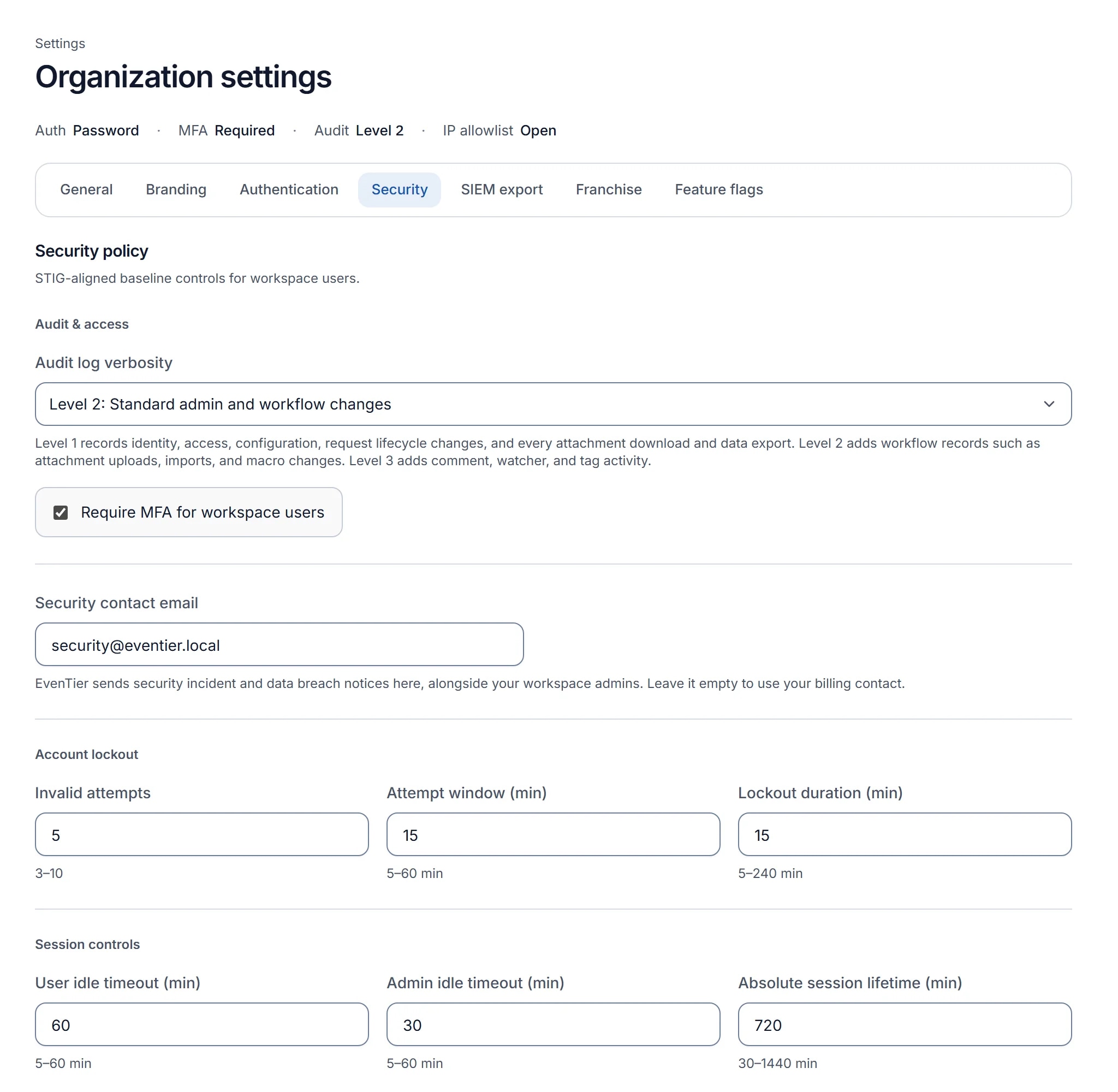
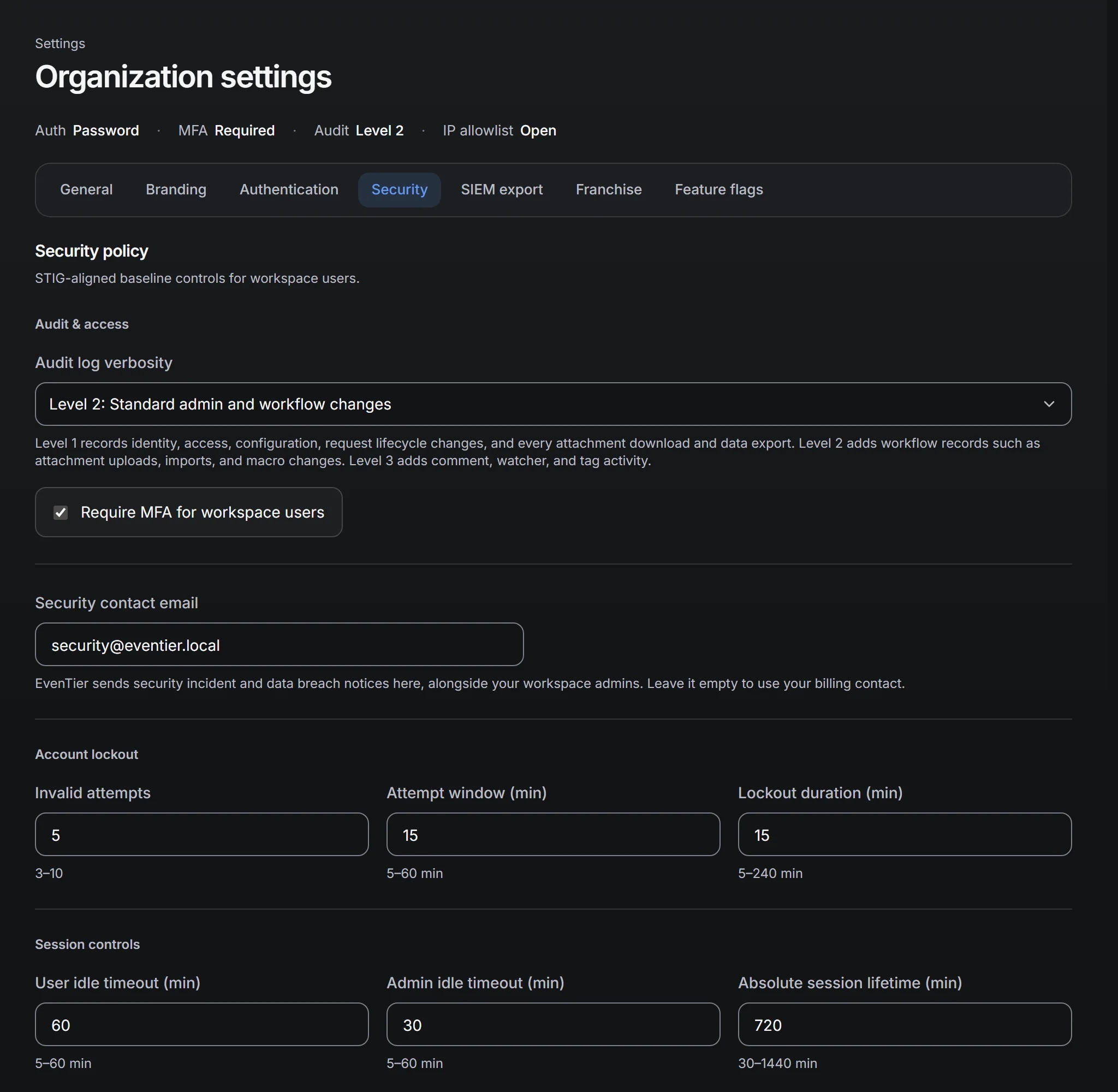
Plan for the day the only administrator loses their phone and recovery codes. On an install, reset-mfa runs from a shell on the server or in the app container, signs the person out, emails them and records the reset in the security log. Shell access is the authority for that command, which is one more reason to keep the list of people with shell access short.
Keep secrets and keys in custody
Every deployment bundle is generated with its own secrets: the session and token signing keys, a setup token, and SECRET_ENCRYPTION_KEY, which encrypts stored credentials such as SSO client secrets, MFA secrets and integration tokens. Three rules follow.
- Keep the first bundle's settings file for the life of the install. Every new download carries new secrets, and data encrypted with the old key cannot be read with a new one.
- Restrict the file. The Compose guide starts with
chmod 600 .env; on Kubernetes, keep the secrets in a Secret of your own throughenv.existingSecret. - Back the file up on the same schedule as the database, since a restore needs both, but store it under separate access control, such as a secrets manager entry. A copy of the database alone should not also hand over the key that decrypts its credentials.
The setup token protects the first-run page. Until the first administrator and organization exist, /get-started asks for EVENTIER_SETUP_TOKEN, so an install that is reachable before you finish setting it up cannot be claimed by someone else. NIST SP 800-57 Part 1 is the general reference for key protection and recovery.
Back up, then test the restore
Back up three things: PostgreSQL, the attachment store (a volume, a folder or an S3-compatible bucket) and the settings file. Take an extra database dump before every upgrade, because database changes only go forward, and keep it until the new release has run cleanly for a day.
# Docker Compose, in the bundle folder
docker compose exec -T postgres pg_dump -U eventier -d eventier -Fc > eventier-$(date +%Y%m%d%H%M).dump
A backup you have never restored is a guess. One license covers a production install and a staging install, so restore last night's dump into staging once a quarter and check three things: you can sign in, a request with an attachment opens and downloads, and an integration that uses a stored credential still connects. The last check proves the settings file and the database belong together. NIST SP 800-34 covers recovery planning and testing in detail.
Scan attachments for malware
Employees attach screenshots, log files and documents to requests, and agents open them. Every upload is scanned before it is stored: request and reply attachments, portal form files, knowledge base media, profile photos, emailed attachments and import files. A file that matches a signature is refused, and the security log records the signature and the file hash.
Docker Compose and Kubernetes include clamd; on a Linux server, point EvenTier at your own clamd on 127.0.0.1:3310. Give clamd 3 to 4 GB of memory. A self-hosted install can turn scanning off with ATTACHMENT_MALWARE_SCANNER=off, but files stored while it is off stay unscanned after you turn it back on, so decide before people start uploading. An install without internet access can keep scanning: turn signature downloads off and copy the signature files in with cvdupdate, as the ClamAV mirror guide describes.
Keep the audit logs, and a copy outside the install
EvenTier keeps three logs: the change log, the sign-in log and the security log. On an install, all three are kept until you set a limit. Stream them to your SIEM as they are written, either by signed webhook or by the pull API, which returns newline-delimited JSON with a cursor so a collector can resume where it stopped.
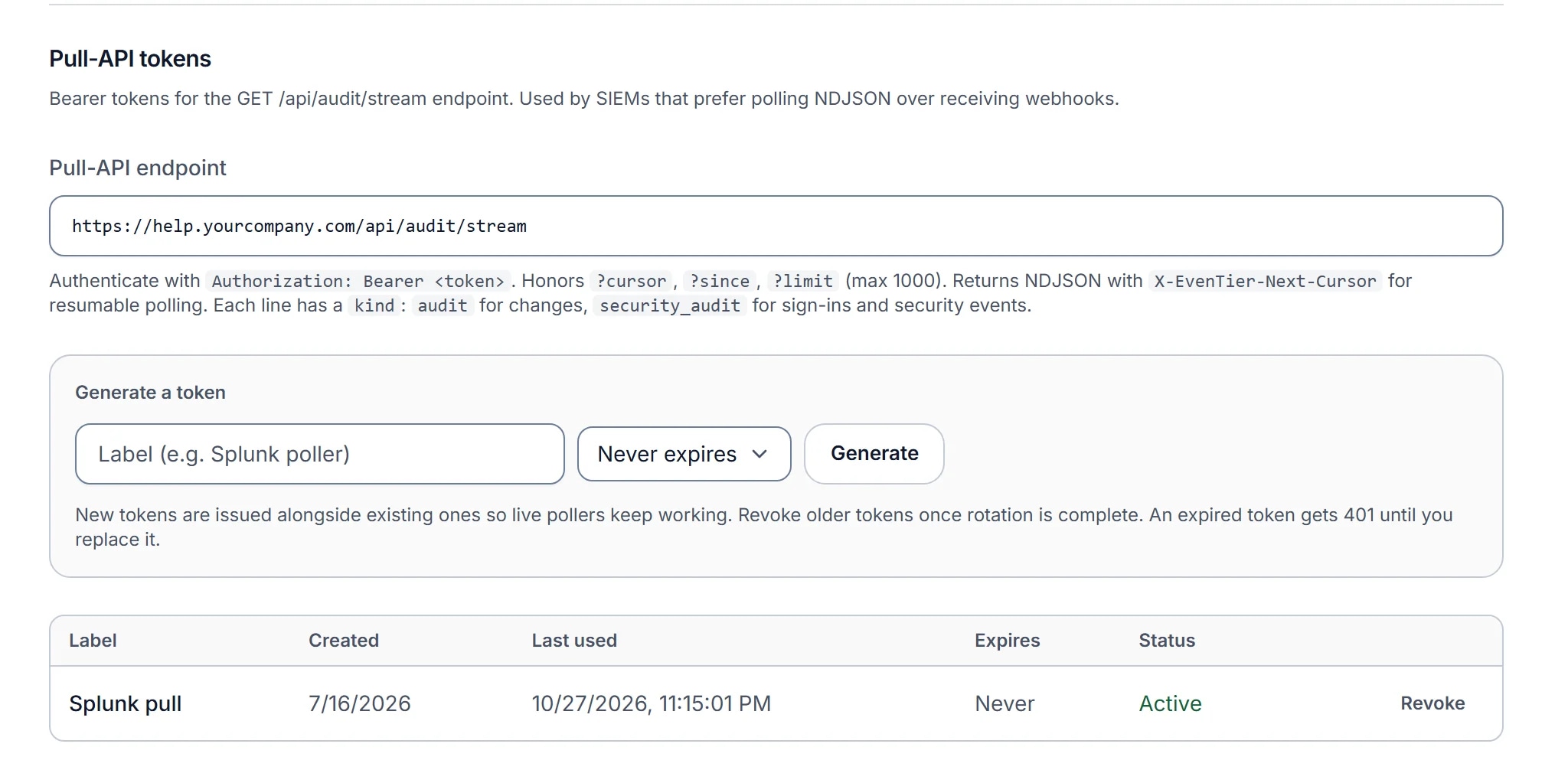
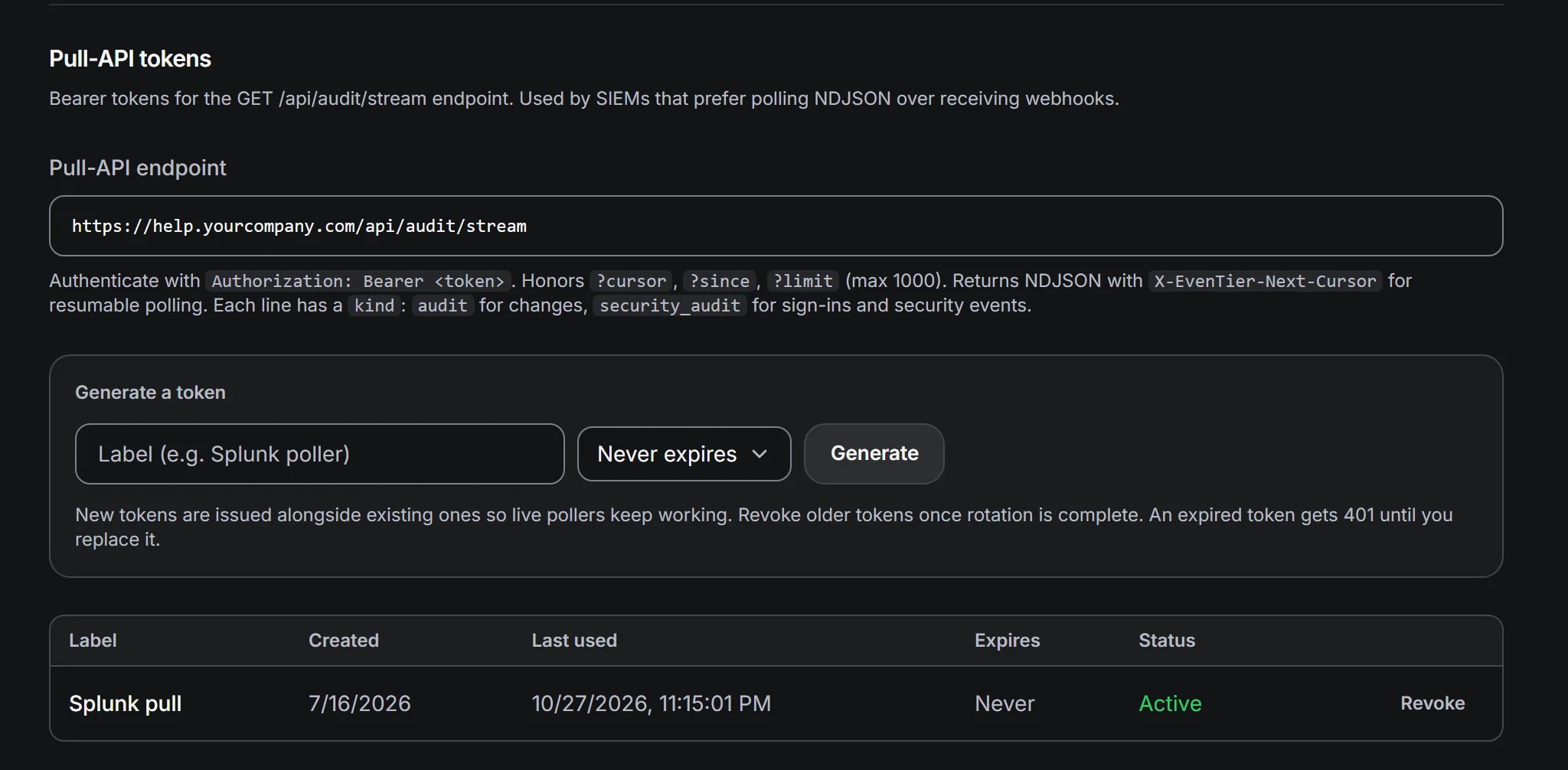
The SIEM copy matters more on an install than anywhere else. Audit rows are ordinary database rows with no hash chain, and the people who can reach your database server can, in principle, change them. A copy in a system those people cannot write to is the independent record. NIST SP 800-92 explains why central log management is worth the effort, and the guide to what an audit log must record covers what each entry should answer.
Set retention on purpose
Requests, comments and attachments are never deleted automatically. The audit logs are kept for good on an install until you choose a number of days for each, and the bundles set all three to unlimited.
AUDIT_RETENTION_DAYS=365
AUTH_AUDIT_RETENTION_DAYS=unlimited
SECURITY_AUDIT_RETENTION_DAYS=unlimited
A value that is not a whole number of days is ignored: nothing is deleted, and a warning is logged at startup. Shortening a window takes effect at the next daily run and cannot be undone, so export or stream first. The data retention documentation lists the other records with a retention window, such as the API call log and webhook deliveries.
Isolate the network, or run without one
Expose as little as possible. In the Docker Compose stack, only Caddy publishes ports; the app, PostgreSQL and clamd answer only inside the stack. On a Linux server, the app listens on the loopback address. On Kubernetes, the chart's network policy can deny external egress, so the pods reach only the destinations you name.
Then decide what the install may reach. Typical outbound connections are your SMTP relay, your identity provider, your SIEM and, if you turn Evee on, your AI provider. Evee works with a provider you choose, and AI_DISABLED=true turns it off. Kubernetes network policies are the tool for enforcing this in a cluster.
An install can also run with no internet route at all. Set AIRGAP=true, load or mirror the images, use a certificate from your own certificate authority, and bring malware signatures in by hand. The air-gapped installs guide covers each step.
Patch the platform and keep EvenTier current
Patching the operating system, the container runtime or cluster, and your own PostgreSQL and clamd is your team's work. The CIS Docker Benchmarks and CIS Kubernetes Benchmarks are the usual configuration baselines for those layers.
Each EvenTier release comes as a container image, a Helm chart and a server tarball. Release images are scanned for vulnerabilities before they are published, and they are signed, so check the signature before you deploy:
cosign verify ghcr.io/eventierio/eventier@sha256:<digest> \
  --certificate-identity-regexp '^https://github.com/eventierio/eventier/' \
  --certificate-oidc-issuer https://token.actions.githubusercontent.com
The Sigstore documentation explains what the two certificate flags prove. An upgrade swaps the image, chart version or tarball and nothing else: back up, upgrade staging first, check that /api/health/ready answers, and keep the rollback steps from the upgrade guide at hand. You can skip releases, since each one applies every database change in between.
Upgrades also carry license revocations. The revocation list is compiled into each release, so an install learns that a license was revoked when it upgrades, and new requests and new agents then pause until an administrator uploads a valid license. An install that is never upgraded misses security fixes and revocations alike.
Grant the least privilege that works
Build roles from the 24 individual permissions in Admin → Roles, and scope agents to the teams they serve. Give an auditor a read-only reviewer role with the audit log permission and request read access, and no write permissions. Changing someone's role or team scope asks the administrator to confirm who they are unless they signed in within the last few minutes.
Apply the same rule below the application. The database role EvenTier uses needs its own database and nothing more. Host and cluster administrators are a separate group from help desk administrators, and both lists should be short. The access control chapter of the OWASP Application Security Verification Standard is a useful checklist for reviewing roles in any web application.
The checklist in one list
- HTTPS on every path,
TRUSTED_PROXY_HOPSset, and TLS to an external database. - SSO required, SCIM deprovisioning on, MFA required, lockout and idle timeouts reviewed.
- The first settings file kept, restricted, and backed up under separate access control.
- Database, attachments and settings backed up, with a restore tested in staging.
- Malware scanning on, clamd sized, signatures current.
- All three audit logs streaming to your SIEM.
- Retention set to what your compliance rules require.
- Only the reverse proxy exposed, and outbound connections limited to the ones you use.
- Host patching on a schedule, image signatures checked, upgrades tested in staging first.
- Roles built from permissions, an auditor role without write access, and short administrator lists at every layer.
Work through it once before go-live, and again after each major upgrade. The self-hosted page describes the edition and its license.
References
- Guide to General Server Security (SP 800-123)NIST. Planning, hardening and maintaining the servers an application runs on.
- CIS Docker BenchmarksCenter for Internet Security. Configuration guidance for the Docker host and its containers.
- CIS Kubernetes BenchmarksCenter for Internet Security. Configuration guidance for Kubernetes clusters, self-managed and managed.
- Digital Identity Guidelines: Authentication and Authenticator Management (SP 800-63B-4)NIST. Authenticator types, multi-factor authentication and session rules.
- Recommendation for Key Management: Part 1, General (SP 800-57 Part 1 Rev. 5)NIST. How to protect, back up and recover cryptographic keys.
- Contingency Planning Guide for Federal Information Systems (SP 800-34 Rev. 1)NIST. Backup and recovery planning, including testing the plan.
- Guide to Computer Security Log Management (SP 800-92)NIST. What to log, how long to keep it, and why a central copy matters.
- Application Security Verification StandardOWASP. Security requirements for web applications, used to review an application before you run it.
- Verifying SignaturesSigstore. Checking a container image's keyless signature with cosign.
- Network PoliciesKubernetes. Limiting which pods and addresses a workload can reach.
- Hosting a Private Database MirrorClamAV. Keeping virus signatures current without internet access, including cvdupdate.
Filed under self-hosted, security.